Wilcom EmbroideryStudio Review: Levels, Pricing, Pros and Cons
A research-based review of Wilcom EmbroideryStudio 2026 for embroidery shops, covering the four product levels, how it is sold, pros and cons, and when buying it makes more sense than outsourcing digitizing.
Key takeaways
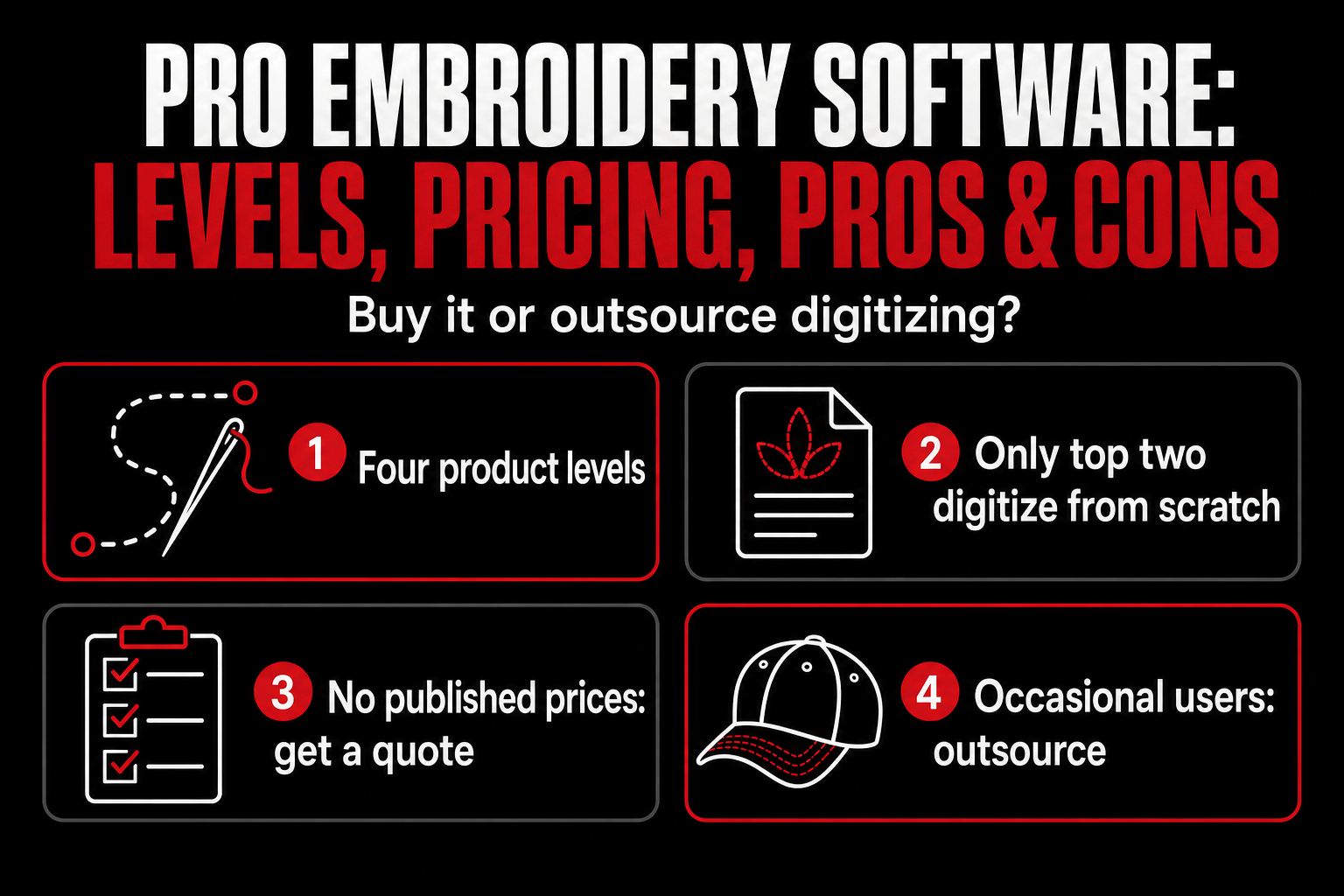
- EmbroideryStudio 2026 comes in four levels (Designing, Decorating, Editing and Lettering), and only the top two let you digitize from scratch
- Wilcom does not publish prices on its product pages, so budget from a quote and decide between a one-time licence and an annual subscription
- The software is powerful but takes real training time, so shops with only occasional new logos often save money by outsourcing digitizing
TL;DR: Wilcom EmbroideryStudio is professional Windows embroidery digitizing software. The current release, EmbroideryStudio 2026, is sold in four levels, with Designing and Decorating covering full digitizing. Wilcom does not list prices online; you buy a one-time licence or an annual subscription by quote. It suits shops that digitize weekly. Occasional users usually do better outsourcing.
AI-generated infographic.
This review is for embroidery shop owners and decorators deciding whether to buy Wilcom software or keep sending artwork to a digitizer. It is based on Wilcom's official product pages, help documentation and release notes, plus reseller listings and published reviews. We have not tested the software ourselves, so we do not rate it with scores or describe how it feels day to day. Everything below comes from those sources, and we name them in the list at the end.
What Wilcom EmbroideryStudio is
Wilcom EmbroideryStudio is a desktop application for creating and editing embroidery designs. You bring in artwork, build stitch objects (satin columns, fills, run lines), set underlay and pull compensation, sequence colors, and export to the file your machine reads. Wilcom is widely used in the trade, and its engine also sits underneath Hatch Embroidery, a sibling product with its own level names.
Per Wilcom's site (checked November 2026), the current version is EmbroideryStudio 2026. It runs on Windows 11, and licensing is handled through a Wilcom account rather than the hardware dongle older versions used. It opens .EMB files from e4.5 or later.
The four levels, side by side
Wilcom says EmbroideryStudio 2026 is available in four product levels. The taglines below are Wilcom's own. The "what it adds" column draws on Wilcom's pages and a reseller's feature comparison, so check the official comparison chart before you buy, because feature lists change.
| Level | Wilcom's description | What it adds in practice |
|---|---|---|
| Lettering | Automatic lettering, customizing and machine connection | Lettering and monograms, recoloring, machine connection. No digitizing tools. |
| Editing | Designs, monograms and lettering editing | Opens .EMB and other stitch files, reshapes objects, recolors, team names, export to machine formats |
| Decorating | Professional embroidery and multi-decoration | Manual digitizing tools, a set of stitch types and effects, appliqué, auto digitizing |
| Designing | Ultimate embroidery and multi-decoration | The fullest set of stitch types and effects, advanced effects and photo-stitch tools, plus bundled CorelDRAW Graphics Suite |
Wilcom also sells optional add-on features called Elements for some levels. Its Designing page says Designing includes access to all of them, while other levels buy some separately.
Key features that matter on the production floor
- Manual digitizing tools. Designing and Decorating let you draw outlines, fills and columns by hand and control density, underlay and pull compensation. Reseller listings for the 2026 release also mention separate pull compensation settings, which matter on stretchy fabrics.
- Auto digitizing. Decorating and above can convert simple artwork automatically. We still recommend a hand-built file for logos with small text, as we explain in our post on why manual digitizing beats auto digitizing.
- Lettering and fonts. Wilcom lists a large library of digitized fonts and monogram designs, plus Name Drop for team names.
- Edit and reshape. Resize a design, change colors, fix a gap or reorder objects. This is the most useful ability for shops that mostly receive finished files.
- Branching and sequencing. Automatic sequencing aims to cut trims and jumps, which saves machine time on multi-needle machines.
- Wide format support. You can export to DST, PES, JEF, EXP and other machine files. See our embroidery file formats guide for which one your machine needs.
- Free trial. Wilcom offers a 14-day free trial, so you can try your own artwork before paying.
How Wilcom is sold and what it costs
Wilcom does not publish prices on its product pages. The monthly and yearly amounts are not shown, and tax is added at checkout. Official purchase options are:
- One-time payment. A perpetual licence with no contract. Future major versions are paid upgrades, and upgrade pricing depends on how old your version is.
- Annual subscription. Offered for the Designing and Decorating levels, billed yearly or monthly, with a 12-month commitment and auto-renewal. Wilcom says it includes new releases and extra features. If it lapses, you lose access to open and edit in EmbroideryStudio, though your files stay on your computer.
- Quote. Wilcom and its resellers quote prices, and trade-in discounts exist for existing licences.
We will not guess a figure. Request quotes from Wilcom or a local reseller, and compare the total over three to five years for both routes. Remember training time and a capable computer in the real cost.
If you run an older version, note that Wilcom ended support for e4.5 on 31 December 2025. It still runs, but gets no updates, fixes or technical help, and Windows 10 support also ended on 14 October 2025.
Pros and cons
Pros
- Deep, professional control over stitch types, underlay, density and pull compensation
- Wide choice of levels, so an editing-only shop need not pay for full digitizing
- Opens many stitch formats, which helps when you receive files from customers
- Subscription lowers the upfront cost and includes updates
- A 14-day trial lets you test it on real jobs
- Long-standing industry standard, so training and help are easy to find
Cons
- No published prices, so you cannot compare costs without a quote
- Windows only, and a steep learning curve for anyone new to digitizing
- Software is only the tool: good results depend on knowing how fabric, needles and backing behave
- Subscriptions stop working when you stop paying, and upgrades are paid on the perpetual route
- Headline features sit in the top level or in add-ons, so check what your level includes
- Caps need special knowledge (centre-out sewing order, frame limits) that no software does for you
Who Wilcom suits
A good fit
- Shops that digitize new logos every week and want control over every file
- Shops that need to edit customer files, resize logos or fix a puckering design quickly, where Editing may be enough
- Decorators who also run other decoration methods and like one program for several
- Training programs and in-house digitizers
A weaker fit
- Shops that add a few new logos a month, where the cost and the learning time outweigh the use
- Shops without a Windows computer
- Owners who want a file ready without learning stitch settings
Buy the software or outsource digitizing?
Both can work together. A common setup is a lower level for editing and sizing files in-house, with new designs sent out. Ask yourself:
- How many new designs do you need each month?
- Who will learn the software, and can they practice on real garments?
- Do you digitize caps, jacket backs and other hard jobs, or mostly left-chest logos?
Learning digitizing takes a lot of practice, especially for caps, puff and small text. If your volume is low or the work is tricky, our embroidery digitizing service gives you a hand-built file in 24 hours standard, or 8 hours rush. Our hat digitizing service covers caps, and logo digitizing covers left chests. See digitizing pricing for current rates, and we make free minor edits.
Good to know: whatever software you pick, check the exported file before it reaches the machine. Our stitch file viewer opens files in your browser, and the file format finder tells you which format your machine takes.
FAQ
What is the current version of Wilcom EmbroideryStudio?
Wilcom's site lists EmbroideryStudio 2026 as the current release. The earlier e4.5 passed end of support on 31 December 2025, and Wilcom recommends moving to 2026.
Does Wilcom EmbroideryStudio have a free trial?
Yes. Wilcom's product pages offer a 14-day free trial. Use your own logos and a real garment test, and judge the learning curve.
How much does Wilcom EmbroideryStudio cost?
Wilcom does not publish prices on its product pages. You pay by one-time licence or annual subscription, quoted by Wilcom or a reseller. Prices depend on the level and your region.
Do I need Wilcom to send artwork to a digitizer?
No. You send artwork, and we return the stitch file in DST, PES, EXP, JEF or another format your machine reads. You can request a quote at any time.
Is Wilcom the same as Hatch?
No, but they are related. Hatch Embroidery is built on Wilcom's engine and has its own level names (Organizer, Personalizer, Composer and Digitizer) and its own pricing, which it publishes.
Can I open Wilcom EMB files without buying Wilcom?
EMB is Wilcom's native format and keeps editable objects. Other software may not open it fully, so ask for DST or your machine's format. See our file formats page.
Not ready to buy software?
Send your artwork and get a clean, hand-built file in 24 hours standard, or 8 hours rush. Request a digitizing quote.
Sources and references
- EmbroideryStudio, Wilcom
- EmbroideryStudio Designing, Wilcom
- EmbroideryStudio Editing, Wilcom
- Upgrade vs Subscription: What's Best? Wilcom (May 2026)
- EmbroideryStudio e4.5 end of support, Wilcom
- EmbroideryStudio 2026 overview, Wilcom help
- EmbroideryStudio 2026 comparison of levels, Swing Design (reseller)
- Hatch Embroidery pricing
- wilcom embroidery studio
- wilcom embroidery software
- embroidery digitizing software
- embroidery software review
- digitizing software
Written by
HatDigitizing Production Team
Embroidery digitizers
Our articles are written by the digitizers who build and test stitch files for embroidery shops every day. Every tip comes from files we have run on real caps and garments, and each article is reviewed by a senior digitizer before it is published.
Need this design digitized?
Send your artwork and get a quote by email. Standard files are ready in 24 hours, rush in 8.
Get a free quote